
Platform demo
From one leader to talent mapping in minutes.
PeerSearch.ai helps executive search teams see the people around a leader, understand the landscape, and act on it. Here is what a search looks like.
Login to Test Run5 free searches with every feature, including export. No card needed.
01
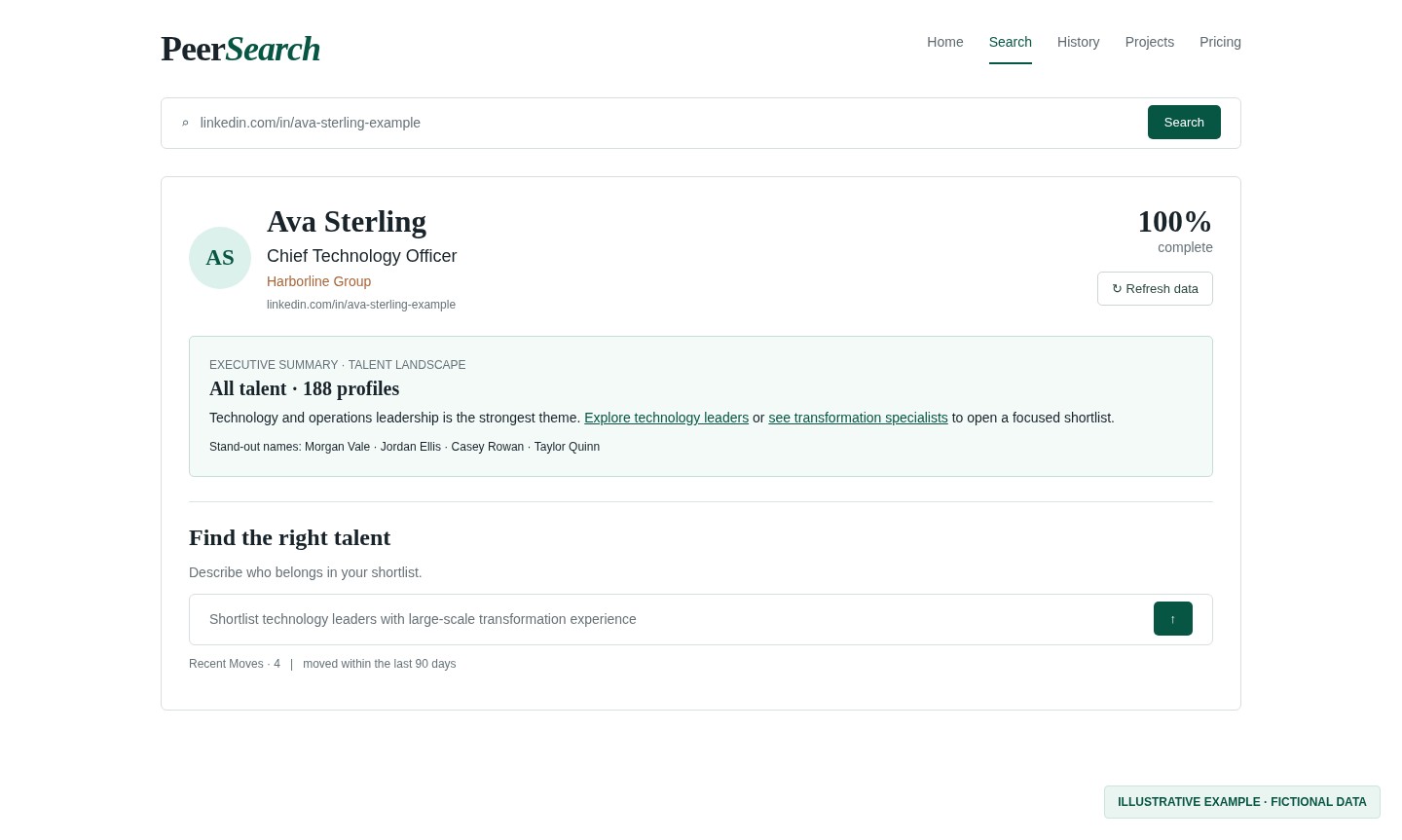
Start with one executive
Paste an executive's LinkedIn URL. Their photo, current title and firm appear first, then up to 200 related leaders stream in while a completion percentage tracks progress. When the search finishes, an executive summary describes the talent landscape, with clickable phrases that open close shortlists and four stand-out names.
02
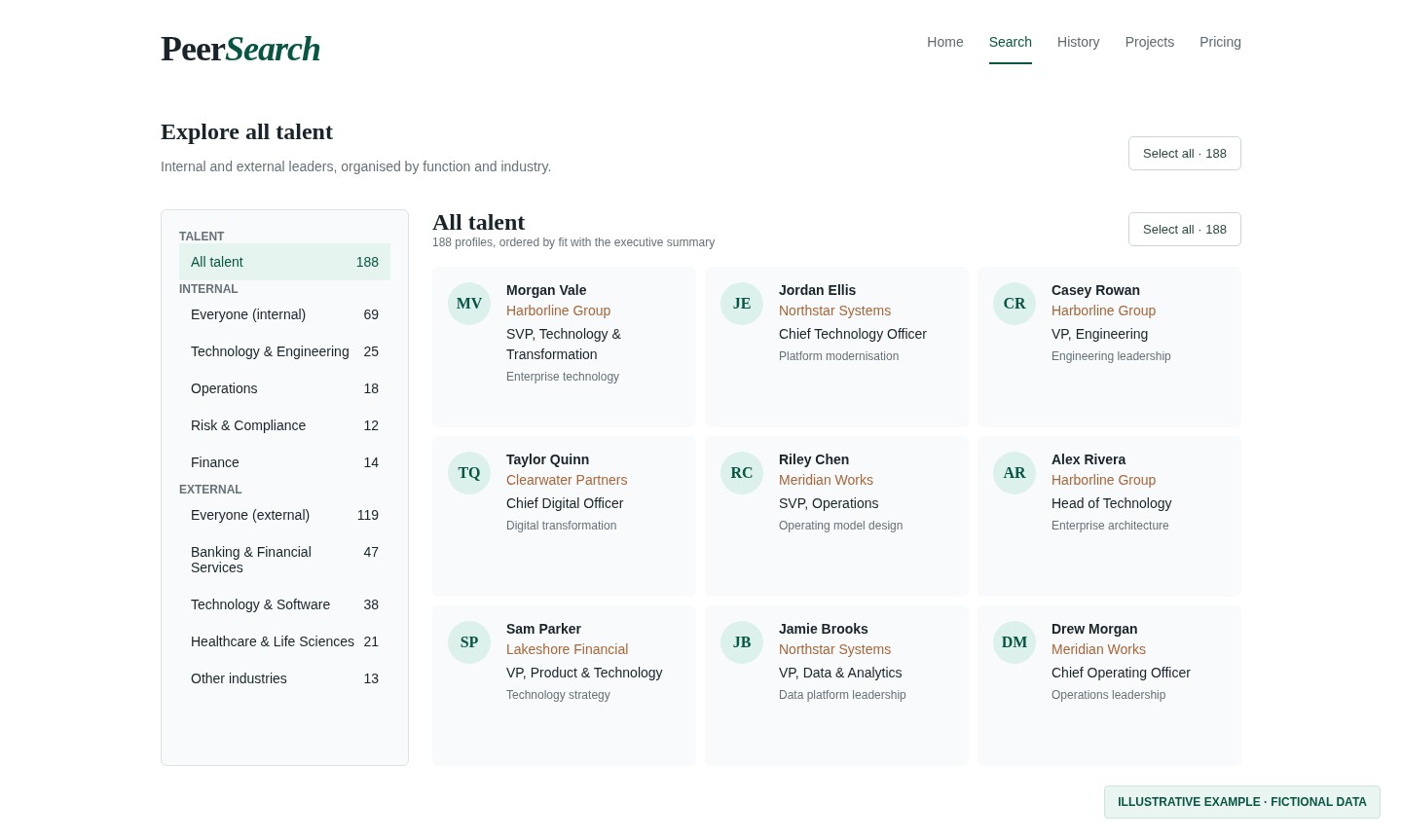
Explore talent by function and industry
Talent is organised into internal colleagues and external leaders, grouped by function, industry and role type, and ordered by fit with the summary.
03
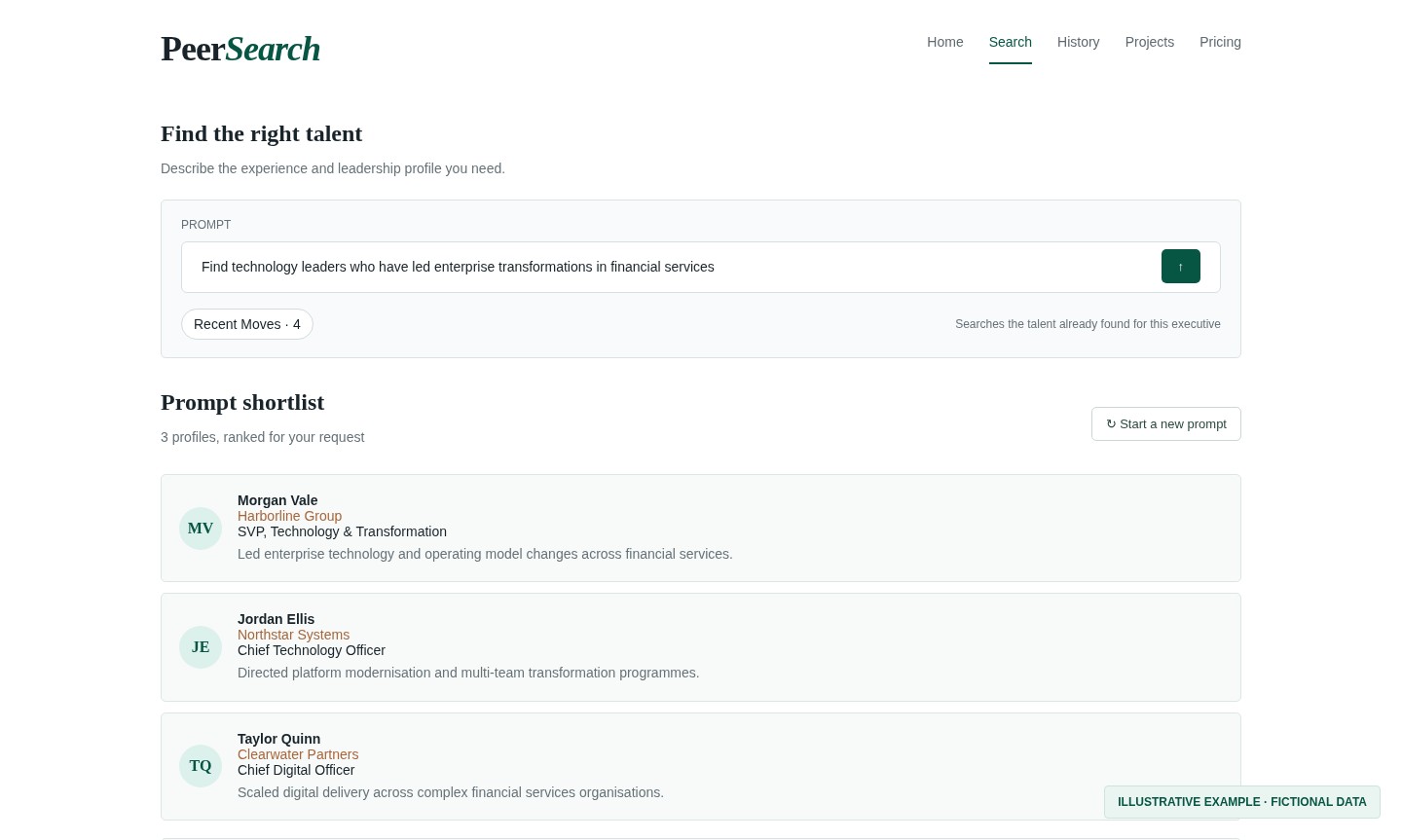
Build a shortlist with AI prompts
Tell PeerSearch.ai who you need in plain language—for example, technology leaders who have led enterprise transformations in financial services. AI ranks the talent already found for the executive and explains why each leader matches. Follow up with a narrower request, such as data platform experience, to refine that shortlist; choose Start a new prompt to search all talent again. You can also select people from the results for a project.
04
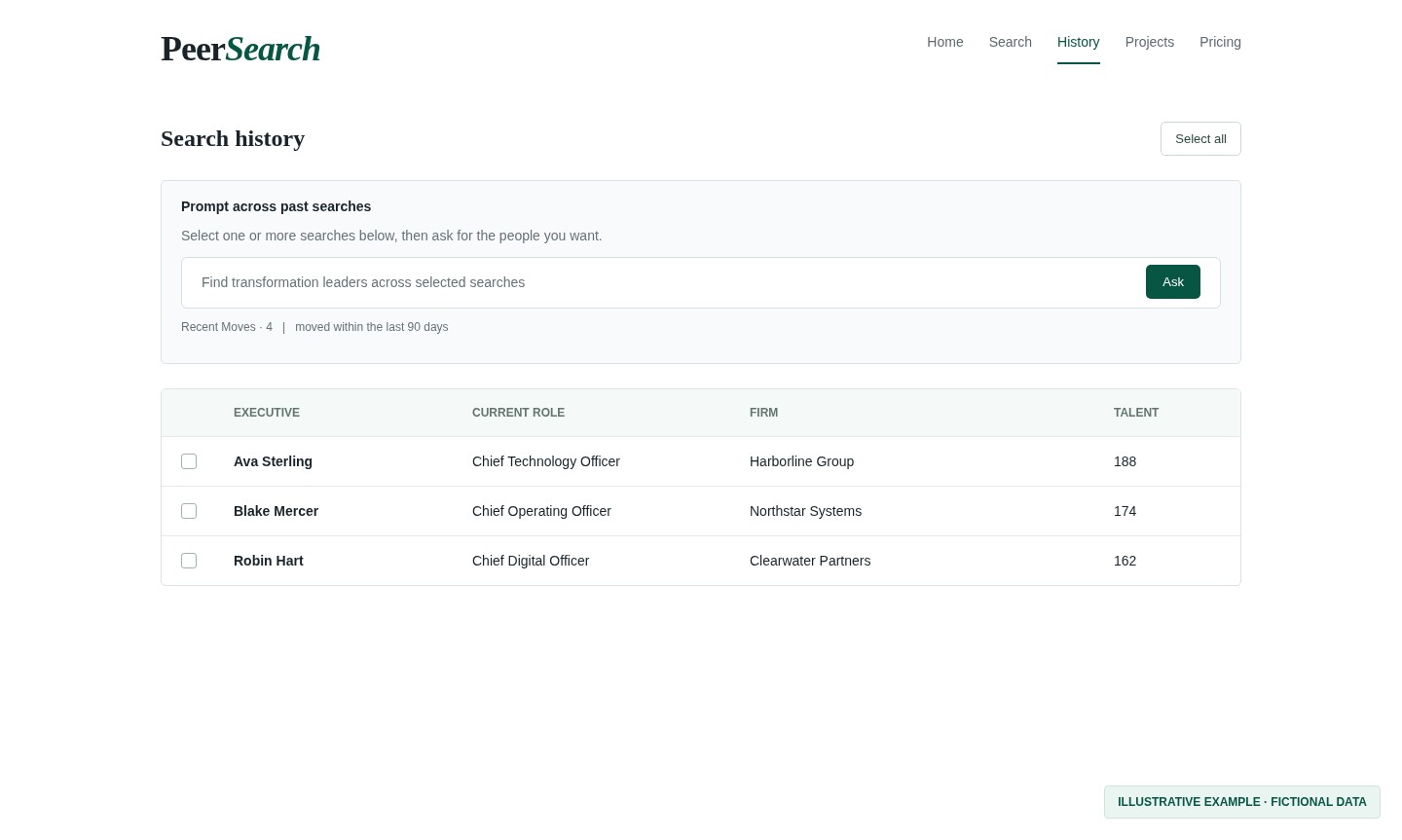
Return to any past search
Every search is saved to History. Reopen it instantly without running it again, or select several past searches and prompt across all of them at once.
05
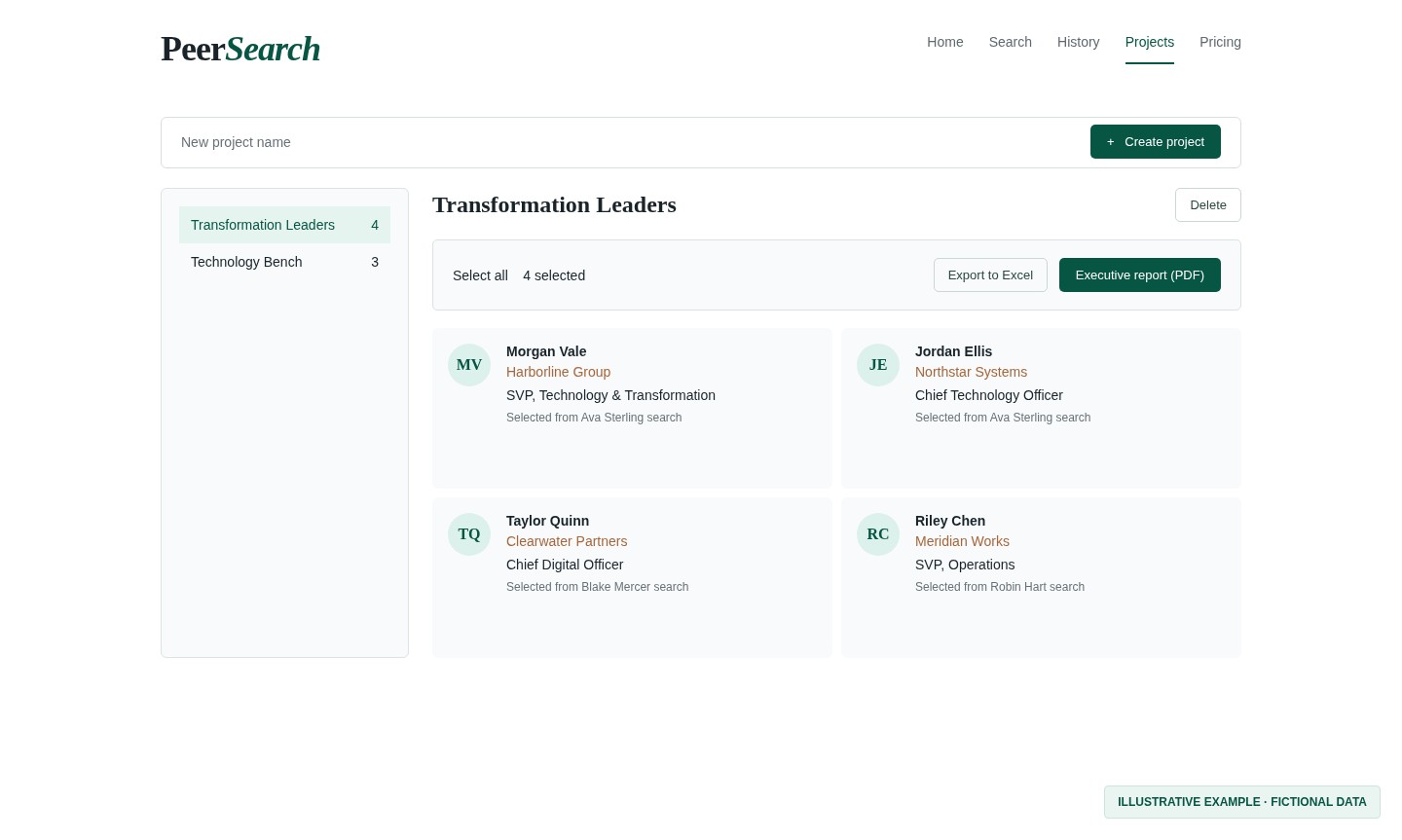
Build projects and export
Add leaders from any search to a project. Export the selection to Excel, or produce a PDF executive report with a summary grid and a one-page bio for each person.
See it on an executive you know.
Sign in with Google or email and run 5 free searches. Pick a plan only when you're ready.