

Talent intelligence · Job & compensation research
PeerSearch.ai
Map the people. Compare the roles.
Find relevant leaders with PeerTalent. Build a focused job and compensation comparison with PeerJobs. Start with one LinkedIn URL.
One account. Two products.
Not ready to sign in? Try one PeerTalent search or one PeerJobs search.
Meet the two products
One starting point. A clearer market view.
An executive profile for talent research. A job posting for role and pay comparisons. Choose the product that fits the question.
Sign in to try itEvery feature unlocks when you sign in, including export.
Your five searches are shared across PeerTalent and PeerJobs.
PeerTalent
Map leaders and build an evidence-led talent shortlist.
PeerJobs
Compare similar roles and refine a job compensation benchmark.
The PeerTalent workflow
From executive to talent project.
- 01
Start with an executive
Paste a LinkedIn profile URL. The executive's photo, title and firm appear first, followed by related leaders in real time—up to 200 profiles including your starting executive.
- 02
Understand the talent landscape
Explore internal colleagues and external leaders by function, industry and employer. An executive summary brings the completed search together; short bios add context to individual leaders.
- 03
Refine with natural-language prompts
Describe the experience you need. AI ranks the talent already found and explains the matches. Follow-up prompts narrow that selection; Start a new prompt returns to the full set.
- 04
Revisit and combine research
Reopen saved searches in History without running them again, or select several talent searches and prompt across their combined profiles.
- 05
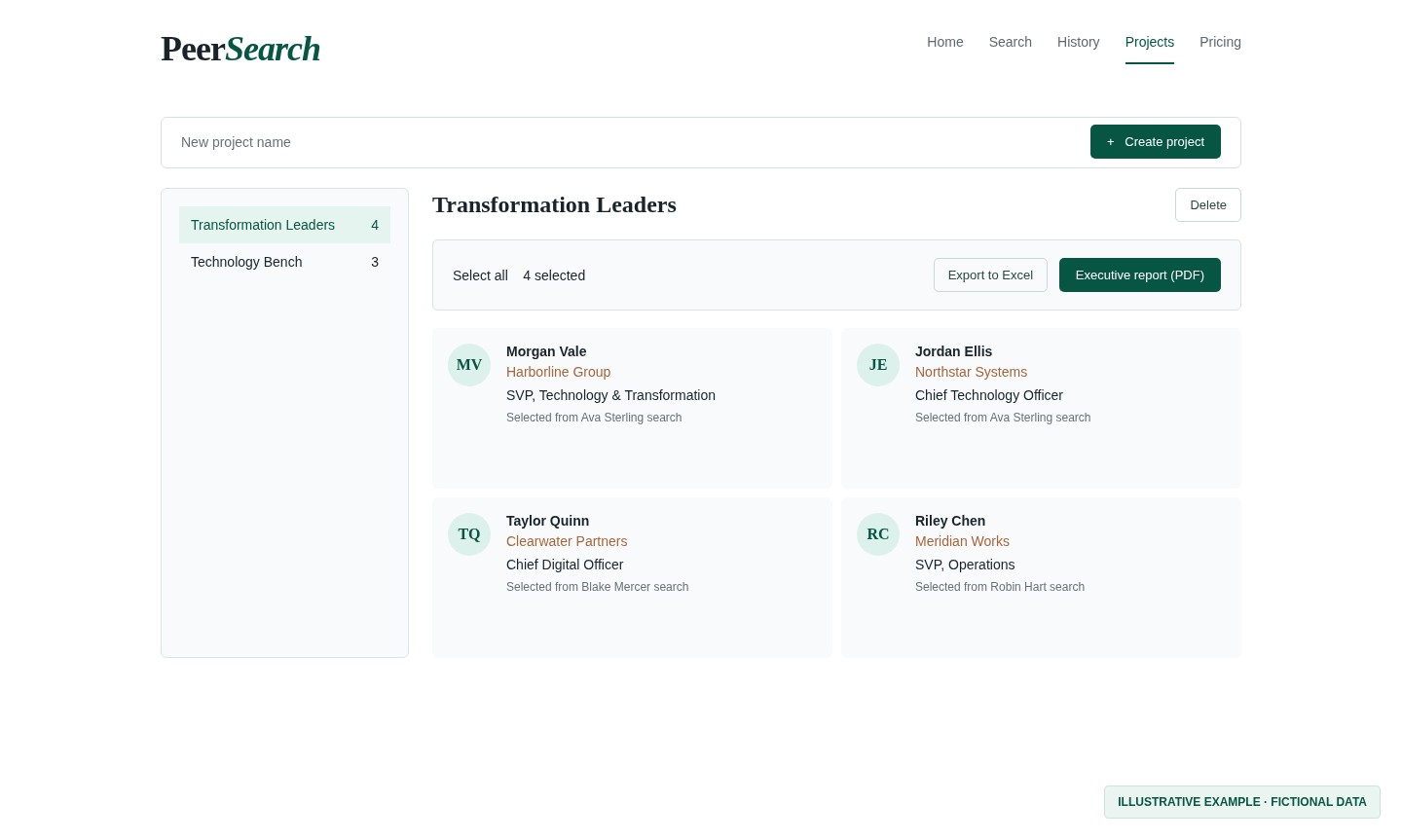
Save a project. Share a shortlist.
Add selected leaders to a named project across searches. With export access, download Excel with clickable LinkedIn links or a PDF executive report with individual bios.
The PeerJobs workflow
From posting to pay comparison.
- 01
Start with a job posting
Paste a LinkedIn job URL. PeerJobs builds a comparison set of similar postings, up to 200 jobs including your starting role.
- 02
Focus on comparable roles
When the starting job lists pay, PeerJobs puts the same job function and nearby compensation first. All sourced jobs stay together in one list, starting with your original role.
- 03
Choose what belongs in the comparison
Rule title levels in or out to keep the comparison on the levels that matter, or describe the roles you need in plain language to narrow the set further. The shortlist and its averages update as you go.
- 04
Compare the completed shortlist
After the search finishes, see Total compensation averages: Avg. total comp — minimum, midpoint and maximum. The figures recalculate as you refine your shortlist, using listed pay in the same currency, annualized for comparison.
- 05
Keep the research and report
Reopen job searches in History and save selected roles to a named job project. With export access, download a PDF compensation report with averages, an executive summary and the selected jobs.
Listed pay, not invented estimates.
Each card uses the pay written in that job's own description and retains its stated pay period. No listed pay means no estimated number. Comparisons annualize disclosed ranges; postings may describe base pay rather than a full package. Review bonus, equity and benefits separately before making a compensation decision.
Your next talent map. Your next job benchmark.
Sign in with Google or email, choose PeerTalent or PeerJobs, and run your first search in seconds.
Not ready to sign in? Try one PeerTalent search or one PeerJobs search.
Two products. One account.
Keep your research moving.
Choose your starting point
Sign in and choose PeerTalent or PeerJobs. Each search covers up to 200 profiles or jobs per search, including your starting point.
Separate histories. Lasting research.
Each product has its own History. Reopen talent searches or job comparisons without starting the search again.
Projects built around your work
Save leaders in talent projects and comparable roles in named job projects. PeerTalent offers Excel and PDF exports; PeerJobs offers a PDF compensation report.
PeerTalent perspectives
For the people who map talent.
“PeerSearch turned one name into a talent map in minutes. It's now the first tab I open on every new search.”
Marcus
Head of Talent Acquisition
Fortune 100 retailer
“The prompt-based shortlisting is the closest thing to having a research team on demand. Refining a list takes seconds, not days.”
Elena
Managing Partner
Boutique executive search firm
“I walked into a client kickoff with a market map for a role we had only scoped the night before.”
Priya
Principal
Global executive search firm
“Clean profiles, real-time sourcing, and exports my clients actually want to receive. It fits straight into our process.”
James
VP of Talent Acquisition
Global technology company